Technology

  1. Technology

    Sony to discontinue Support by Sony app on February 28, 2027

    Firmware update alerts will end, but device support will remain available through dedicated apps and Sony’s website.

    Sony to discontinue Support by Sony app on February 28, 2027
    Photo: Engadget

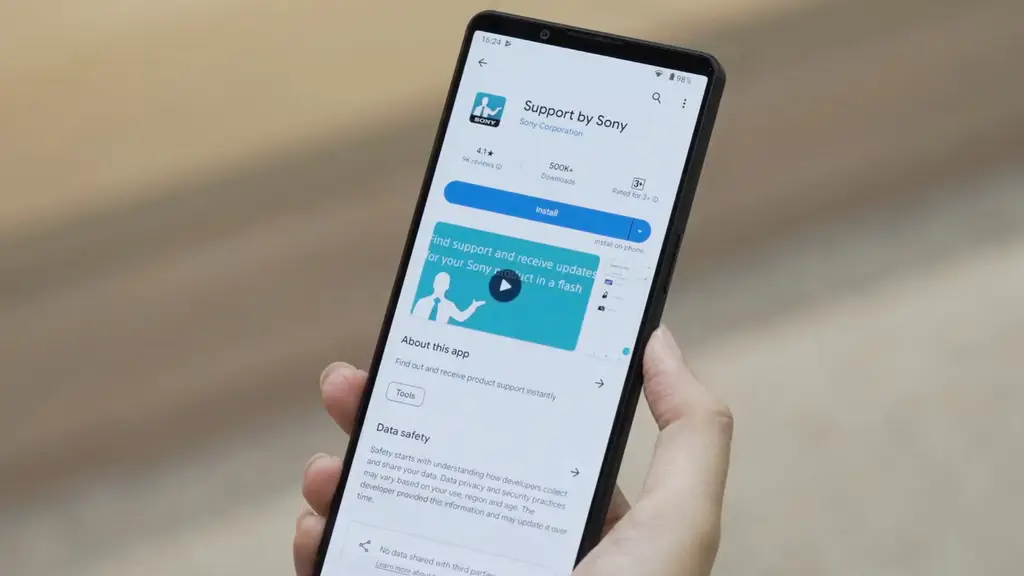
    Sony will discontinue the Support by Sony app on February 28, 2027. It sent firmware update alerts, helped users troubleshoot device issues and displayed company news and product notifications.

    Engadget published the report.

    After the shutdown, the app will be removed from the App Store and Google Play. Existing users will see a notice that the service is no longer available and will no longer receive firmware update alerts. Previously available product messages in the app will also become inaccessible.

    For compatible headphones and speakers, Sony offers the Sound Connect app, where users can adjust the equalizer and install firmware updates. Owners of compatible TVs and soundbars can use BRAVIA Connect, while owners of compatible cameras can use Sony Creators’ App.

    The dedicated apps let users manage compatible devices, but they do not support every model. Some older cameras require Imaging Edge Mobile, and BRAVIA Connect does not work with all Sony TVs.

    Manuals, available firmware downloads and troubleshooting help will remain available on Sony’s website. On some TVs running Android TV or Google TV, software updates can be found in the Settings or Help menu, depending on the model.

  2. Technology

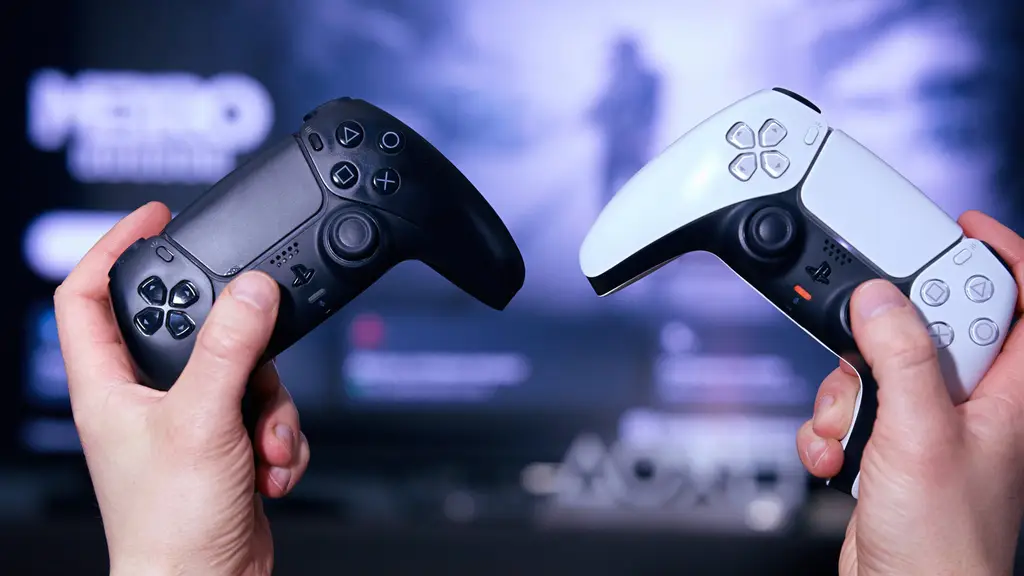
    Sony patent eyes tap-to-pay PlayStation controller with phone

    The controller could send payment or account login details to a PlayStation console with a tap of a nearby phone. It is unclear whether the design will reach stores.

    Sony patent eyes tap-to-pay PlayStation controller with phone
    Photo: Engadget

    Sony filed a provisional patent in 2025 describing a PlayStation controller that could send payment or account details to the console from a nearby phone. It is unknown whether the controller will ever go on sale.

    Original source — Engadget.

    According to the patent, the controller detects a nearby device such as a phone. The phone receives a signal, sends a confirmation back, and the controller then passes the data to the console. Detection could use NFC (near-field communication), Bluetooth, or both.

    The patent refers to the trigger as "an event that has occurred at the video game console," such as buying a game, entering gift card details, or joining a multiplayer match.

    Engadget notes that NFC controllers are not entirely new. The Wii U GamePad and the Nintendo Switch Pro Controller both use NFC to read amiibo figures.

    Engadget says the patent diagrams show signing into a PlayStation account with a tap. The author argues this beats playing as a one-time guest, especially on someone else’s console. Users who already have a passkey would gain less, but a tap would still be faster.

    Engadget also points out that Sony plans to move fully to digital formats and stop producing physical discs in 2028. The author believes a controller like this would make payments easier for PlayStation owners.

  3. Technology

    Wrong monitor port could be slowing your desktop PC’s gaming performance

    Plugging a monitor into the motherboard instead of the graphics card can mean weaker graphics or a blank screen, according to Engadget.

    Wrong monitor port could be slowing your desktop PC’s gaming performance
    Photo: Engadget

    Your monitor may be plugged into the motherboard rather than a dedicated graphics card. Engadget’s author says that can slow down games, and the fix is as simple as swapping a cable.

    Details were published by Engadget.

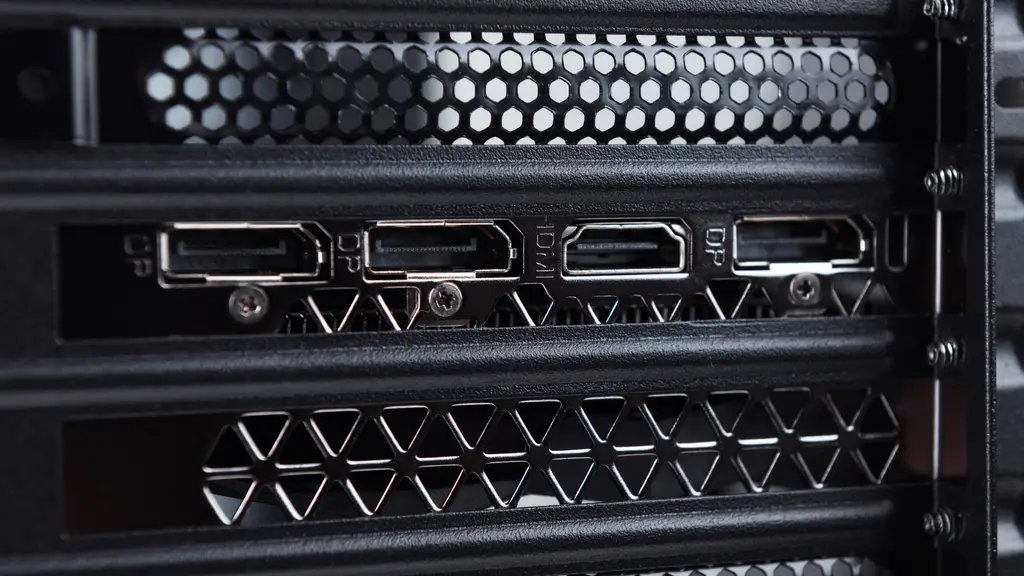
    Many PCs have HDMI, DisplayPort and USB-C monitor connections in two places: on the motherboard and on the graphics card. The same cable fits either set, so it’s easy to pick the wrong one. If your PC has a dedicated graphics card, the monitor should normally connect to it. Motherboard outputs typically use integrated graphics built into the CPU, if the chip has them.

    Why plugging into the motherboard can hurt gaming

    Integrated graphics handle basic tasks and lighter games well, but usually can’t match a dedicated card. If Windows runs a game on integrated graphics, you don’t get the performance your dedicated GPU offers.

    Connecting to the motherboard doesn’t always fully sideline the dedicated card. In some Windows setups, the card still renders the game and passes frames through integrated graphics, which can add overhead. Microsoft doesn’t publish a percentage performance loss for this setup, and the impact depends on the hardware, so some gamers never notice the problem.

    For others, the monitor simply stays dark. Motherboard outputs don’t work with Intel desktop processors with an F or KF suffix, because those chips lack integrated graphics. Some PCs also disable integrated graphics when a dedicated card is installed, so a blank screen doesn’t necessarily mean the graphics card has failed.

    How to find the right port and set the refresh rate

    Graphics card ports are usually easy to spot. Motherboard outputs sit alongside the USB, Ethernet and audio ports. The graphics card has its own outputs on a separate expansion bracket, typically lower on the back of a standard tower. They’re often horizontal, but not always, so check which ports belong to the card.

    Engadget’s author advises turning off the PC, moving the monitor cable to the graphics card, and selecting the matching input on the monitor. HDMI and DisplayPort both support high-refresh-rate gaming, as long as the graphics card, monitor and cable handle the resolution and refresh rate you want. If HDMI already works at the settings you need, you don’t need to buy a new cable.

    In Windows 11, the refresh rate is under Settings, System, Display, Advanced display. The author stresses that a 100Hz monitor set to 60Hz shows 60 updates per second, regardless of how many frames the graphics card produces.

    If the screen goes black after switching to the graphics card, try a different port on the card or a different cable. Before checking the power connectors or reseating the card, shut down the PC and unplug it. If integrated graphics stay enabled, you can also connect a second monitor to the motherboard output, depending on system compatibility.
  4. Technology

    Honor Magic9 Pro Max gets 200MP camera and 8,800mAh battery

    Honor's new flagship has a larger battery and a 1/1.28-inch main camera, but not every spec improved. On April 13, the phone was launched in China, where it starts at 6,499 yuan.

    Honor Magic9 Pro Max gets 200MP camera and 8,800mAh battery
    Photo: Engadget

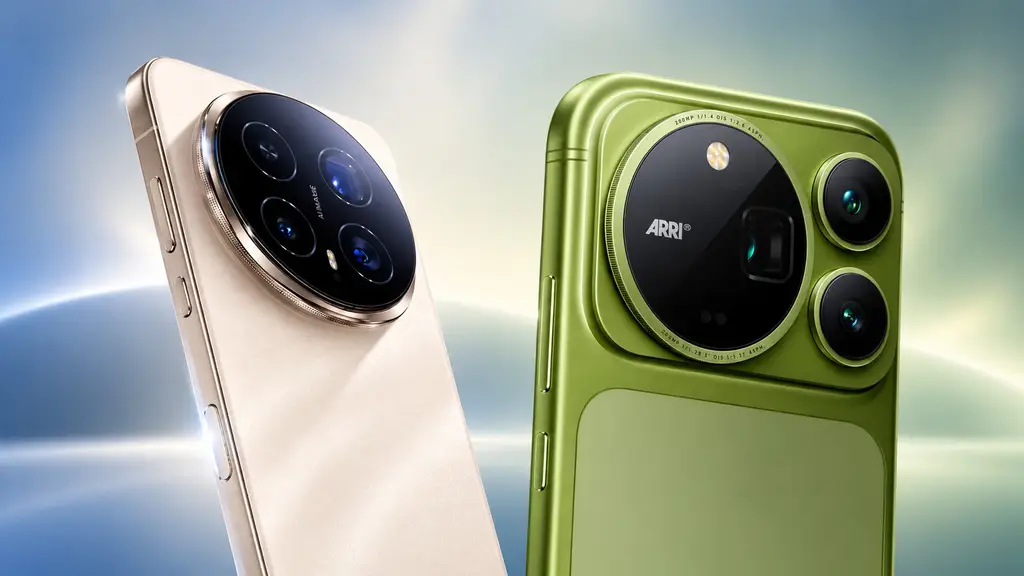
    On April 13, Honor unveiled the Magic9 Pro Max, which replaces the Magic8 Pro. According to Engadget, the main camera now has 200 megapixels and the battery has a capacity of 8,800mAh, about 22 percent more than its predecessor. These are Chinese specifications, since Honor varies battery capacity by market.

    The report comes from Engadget.

    The biggest change is a new main camera with a 200-megapixel sensor measuring 1/1.28 inch. The telephoto camera stays at 200 megapixels, but its optical zoom drops from 3.7x to 3.5x. Stabilization on the main and telephoto cameras improved from a CIPA 6.5 rating to CIPA 8.0.

    Honor also focused on video through its partnership with ARRI. The phone supports LogC3 recording, ARRI Wide Gamut 3 and 10-bit capture, along with 14 preset ARRI Looks and 87 predefined color gradings. ARRI Cinema Mode supports up to 4K at 60fps.

    introduce up-and-coming cinematographers to the ARRI brand … [b]y giving them access to ARRI Image Science

    David Bermbach, chief product officer at ARRI

    The battery is larger, but with limits. Wired charging dropped from 120W to 100W, while wireless charging stayed at 80W, and the wireless charger is sold separately. The phone weighs 233 grams, and its display measures 6.8 inches, compared with 6.71 inches on the Magic8 Pro.

    Honor has not confirmed whether international versions will get the 8,800mAh battery. In the United Kingdom, the Magic8 Pro has a 6,270mAh battery. The company has also not confirmed a US release. The Magic9 Pro Max starts at 6,499 yuan in China, about $974.

  5. Technology updated 02:45

    SpaceX catches Starship with launch tower arms for first time

    On November 14, SpaceX caught the Starship vehicle itself with its Mechazilla tower arms, a first after only booster catches. The ship was not fully recovered, so the success is not complete.

    SpaceX catches Starship with launch tower arms for first time
    Photo: The Verge

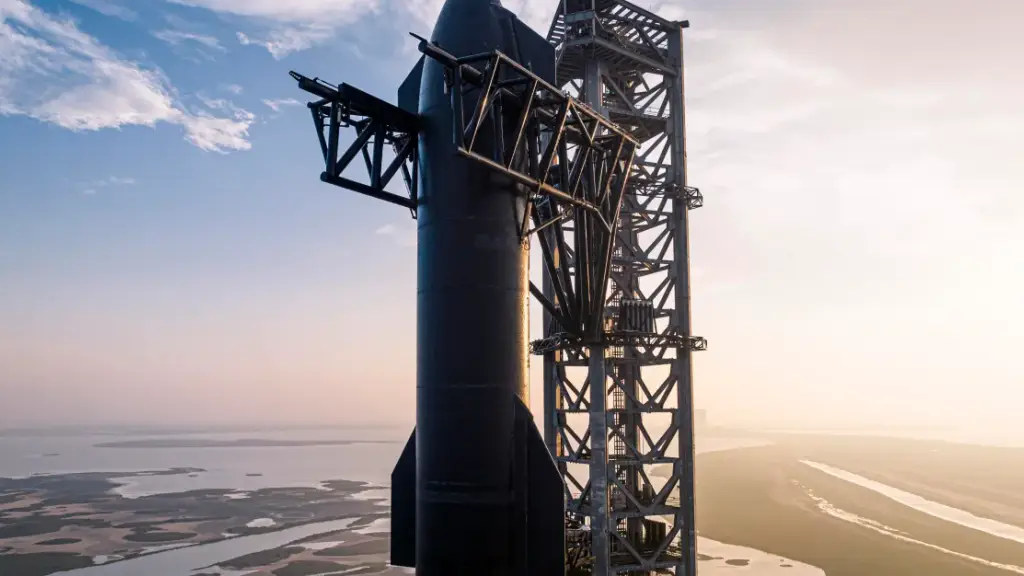
    On November 14, during Starship Flight 15, SpaceX successfully captured the Starship vehicle itself with the "Mechazilla" launch and catch tower, according to The Verge. The company had previously caught boosters with this "chopstick" maneuver, but never the ship. The catch came at around 4:20 p.m. ET, after SpaceX aborted a planned catch of the booster from the same flight.

    The Verge has the details. Also reporting: Ars Technica.

    The company was unable to recover the entire launch vehicle, so it does not count as a full success. The booster failed to complete its landing and detonated over the Gulf of Mexico, the outlet reported. SpaceX is still working to determine the cause.

    success is not guaranteed on these first flights, but I’d say it’s more likely than not that this succeeds next flight.

    Elon Musk, SpaceX CEO

    Musk said this during the company’s third-quarter earnings call. Because SpaceX has previously caught boosters, The Verge says there is reason to believe today’s failure is not an insurmountable obstacle.

    Starship is SpaceX’s program for a reusable large rocket and spacecraft. Catching the vehicle with tower arms avoids a landing on legs, which requires a lot of fuel and support structures.