Technology

  1. Technology

    Obsidian adds official connectors for AI agents

    Agents can work with notes and, through the command line, delete them and install plugins. The level of access depends on the connection method.

    Obsidian adds official connectors for AI agents
    Photo: Notebookcheck

    Since November 25, Obsidian users have been able to connect AI agents to the app, including Claude, ChatGPT, Cursor, GitHub Copilot, Grok Bot and Muse. The announcement from Obsidian and the company’s help page describe the connectors.

    Original source — Notebookcheck.

    Most of the open-source skills Obsidian publishes explain how agents can work with the app’s files: Markdown, wikilinks, Bases and Canvas. They do not add permissions on their own, but an agent can read and modify files in the notes vault.

    Obsidian’s skill for its command-line interface (CLI) provides a different level of access. It requires the desktop app to be running, the command line to be enabled and an agent that can run commands on the computer.

    Through the CLI, an agent can search the entire vault and switch between vaults. It can create, move and delete notes, including permanently, as well as install plugins and publish notes through Obsidian Publish.

    An agent can also run JavaScript in the app. Obsidian’s documentation does not describe a separate confirmation for each command; whether one is required depends on the agent and its settings.

    Obsidian says the connectors do not send data on their own. However, a note read by an agent becomes part of the conversation and is processed by the AI model. The company advises checking the agent’s privacy policy before connecting a vault containing sensitive information.

    Obsidian’s help page says Muse runs in Meta’s cloud. The CLI skill does not work with Muse. To use Obsidian Headless in Muse, users must sign in and sync their vault with Meta’s cloud.

    The article’s author recommends creating a separate vault for working with agents and copying needed notes into it. He advises keeping command confirmations enabled if users turn on the CLI. The file-format skills do not require the command line.

  2. Technology

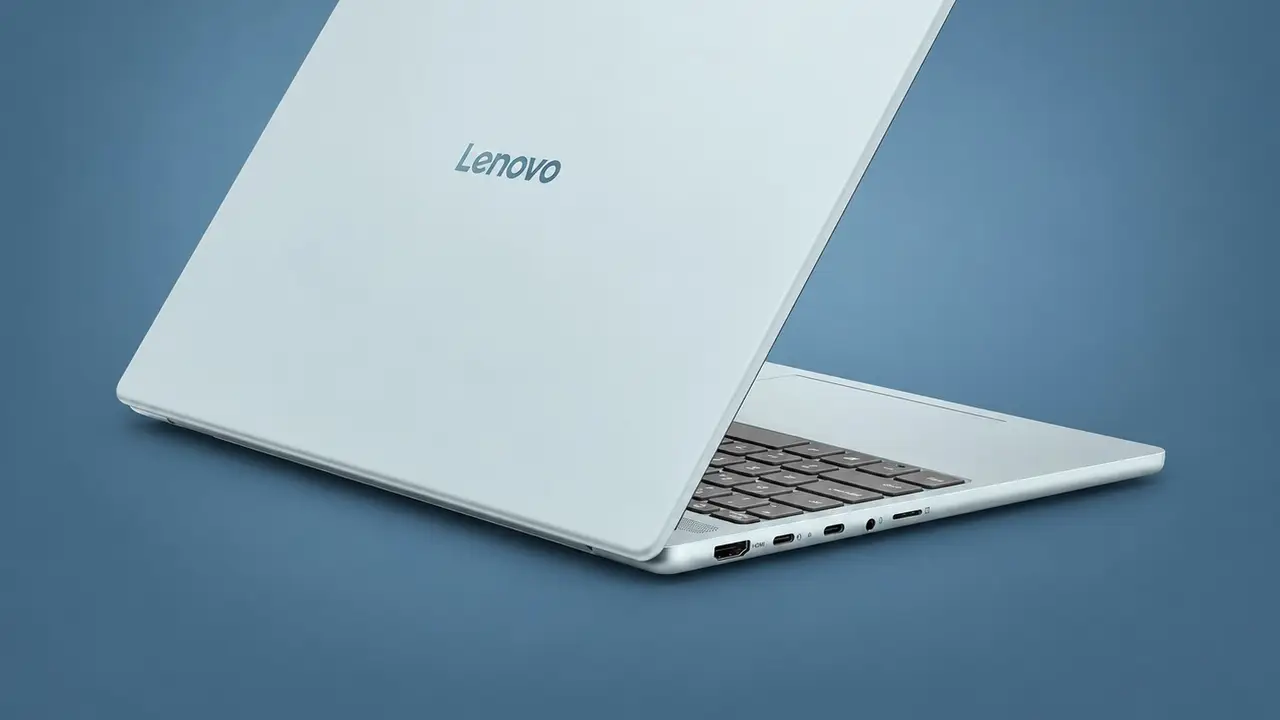
    Lenovo IdeaPad Vibe 15AHP12 appears with 120Hz OLED display

    French retailer PC21 listed a Ryzen 5 216 configuration for €831.88, but it is currently out of stock.

    Lenovo IdeaPad Vibe 15AHP12 appears with 120Hz OLED display
    Photo: Notebookcheck

    As of November 28, Lenovo’s PSREF website lists the 15-inch IdeaPad Vibe 15AHP12 with AMD Hawk Point processors. It supports up to 32GB of RAM and up to 1TB of storage.

    The story was published by the news site Notebookcheck.

    The Ryzen 3 205 has four cores, while the Ryzen 5 216 and Ryzen 7 217 each have six cores and 12 threads. All three chips use Radeon 740M graphics and lack a built-in neural processing unit for AI.

    The laptop supports an SSD of up to 1TB. A second M.2 slot allows users to add another drive.

    The base IPS display has a resolution of 1920 × 1200 pixels, 400 nits of brightness and a 60Hz refresh rate. An optional touch-enabled IPS panel offers a 120Hz refresh rate.

    The OLED option has a resolution of 2160 × 1352 pixels, 500 nits of brightness, a glossy finish and a 120Hz refresh rate. It also covers 100% of the DCI-P3 color space.

    Depending on the configuration, the laptop comes with a 50Wh or 65Wh battery, Wi-Fi 6 or Wi-Fi 7, and a plastic or aluminum bottom cover. Ports include two USB-C, two USB-A and HDMI.

    French retailer PC21 listed a configuration with a Ryzen 5 216, 8GB of RAM and a 512GB SSD for €831.88. It is currently out of stock. Another 15-inch AMD IdeaPad Vibe model starts at $699.99 in the U.S. with a Ryzen AI 5 330, or $1,049.99 with a Ryzen AI 7 445.

  3. Technology

    PS5 and PS5 Pro players report worse GTA 6 graphics

    After the game’s first update, players have reported blurry textures, changes to lighting and less-defined objects. Some suspect the changes may be linked to strain on the consoles.

    PS5 and PS5 Pro players report worse GTA 6 graphics
    Photo: Notebookcheck

    Rockstar Games released GTA 6’s first post-launch update on November 23, version 01.002.002. Afterward, some PS5 and PS5 Pro players reported a drop in image quality.

    The report comes from Notebookcheck.

    In Reddit posts, players have cited blurry textures, more noticeable pop-in as objects come into view, and less convincing global illumination. They have also described character faces and hair as less defined.

    Some complaints concern dynamic weather. Players say sunrises and sunsets are less striking and water reflections after rain look worse.

    The update was intended to address crashes, static weather and other issues. Its version 01.002.002 patch notes did not mention performance changes.

    Digital Foundry recorded frame rate drops in crowded scenes, even though the game is capped at 30 frames per second. Some players speculate that reducing graphical quality could ease the strain on consoles.

    Some players also suspect changes to PSSR 2, an image upscaling technology. They believe this may have affected the sharpness of objects.

    Article author Adam Corsetti advises against drawing conclusions about performance changes until Rockstar comments. He also notes that Digital Foundry and other sites will analyze the graphics after future GTA 6 updates.

  4. Technology

    Los Angeles school district disables Google AI Overviews

    The district called the change temporary and said it aims to keep students’ use of school devices safe and age-appropriate.

    Los Angeles school district disables Google AI Overviews
    Photo: Engadget

    The Associated Press reported that Los Angeles Unified School District (LAUSD), which enrolls about 500,000 students, disabled Google AI Overviews on school-issued devices. The change came a few days after a Nov. 13 meeting of the district’s artificial intelligence committee.

    Engadget reported the news.

    Several members of local group Schools Beyond Screens LA spoke at the meeting. After the search summaries disappeared, parents and students noticed the change, and the group asked parents to send video evidence.

    The group received confirmation from the district that the feature had been disabled. The district did not say how it did so.

    Google changed a separate policy for its Gemini chatbot in schools. For many students from kindergarten through 12th grade, the chatbot will now be available only by opt-in.

    In an interview with The New York Times, Chris Phillips, Google’s vice president and general manager of education, said search and AI are closely connected. Blocking AI, he said, would deprive students of access to Search and show them a message from their school saying it was unavailable.

    More than 500 Google employees signed a petition urging the company to reconsider its strict requirements. New York City, Los Angeles and Chicago are considering switching to other search engines if Google does not change its approach.

  5. Technology

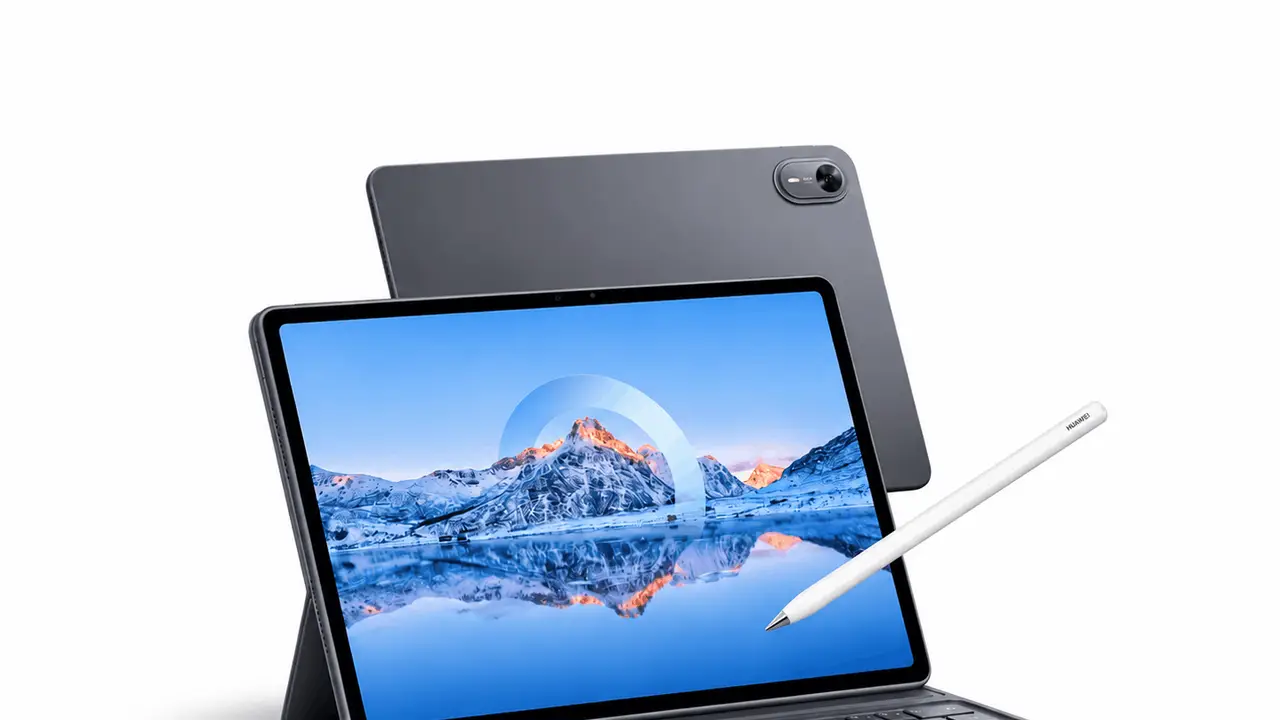
    Huawei unveils Qingyun C7 business tablet with 144Hz display

    The model has a 12-inch screen, a 10,100mAh battery and document-focused features. Huawei showcased it at a trade fair in Shenzhen.

    Huawei unveils Qingyun C7 business tablet with 144Hz display
    Photo: Notebookcheck

    Huawei unveiled the third-generation Qingyun C7 business tablet in China at the 28th China Hi-Tech Fair in Shenzhen. The device has a 12-inch display with a resolution of 2800 x 1840 pixels and a 144Hz refresh rate.

    This was reported by Notebookcheck.

    The screen is an IPS panel. Huawei says it reaches 900 nits of peak brightness, has a 1500:1 contrast ratio and offers Delta E color accuracy below 1, as well as support for the P3 color gamut.

    The tablet has 8GB of RAM and 256GB of internal storage. Huawei has not named the processor. A 3D cooling system is designed to manage heat during multitasking.

    The 10,100mAh battery supports 66W charging. Huawei claims up to 16 hours of battery life, and a charger is included. The metal body is 5.9 mm thick and weighs about 555 grams.

    The Qingyun C7 runs HarmonyOS 7 and supports Wi-Fi 7+, Bluetooth 6.0 and NearLink. Work features include document translation that preserves the original layout, transcription of recordings in Huawei Notes and PDF (Portable Document Format) editing. The tablet is compatible with the M-Pencil Pro and Smart Magnetic Keyboard, sold separately.

    The tablet is listed on Huawei’s official Chinese website in Space Gray. The company has not announced its price, sales start date or availability outside China.